Features
Everything a bill of quantities needs, in one plan
01 · The bill
A bill that works like a spreadsheet
Arrow keys, typing, Enter down and Tab across. Select blocks, copy and paste to and from Excel, find and replace across the whole bill, and undo anything. Every action is in a menu too, and Ctrl K finds any command by name.
As you type, Quantum offers the descriptions your team has used before, with their units, and the items that usually come next. It learns only from your own team's projects.
The bill, in the guide →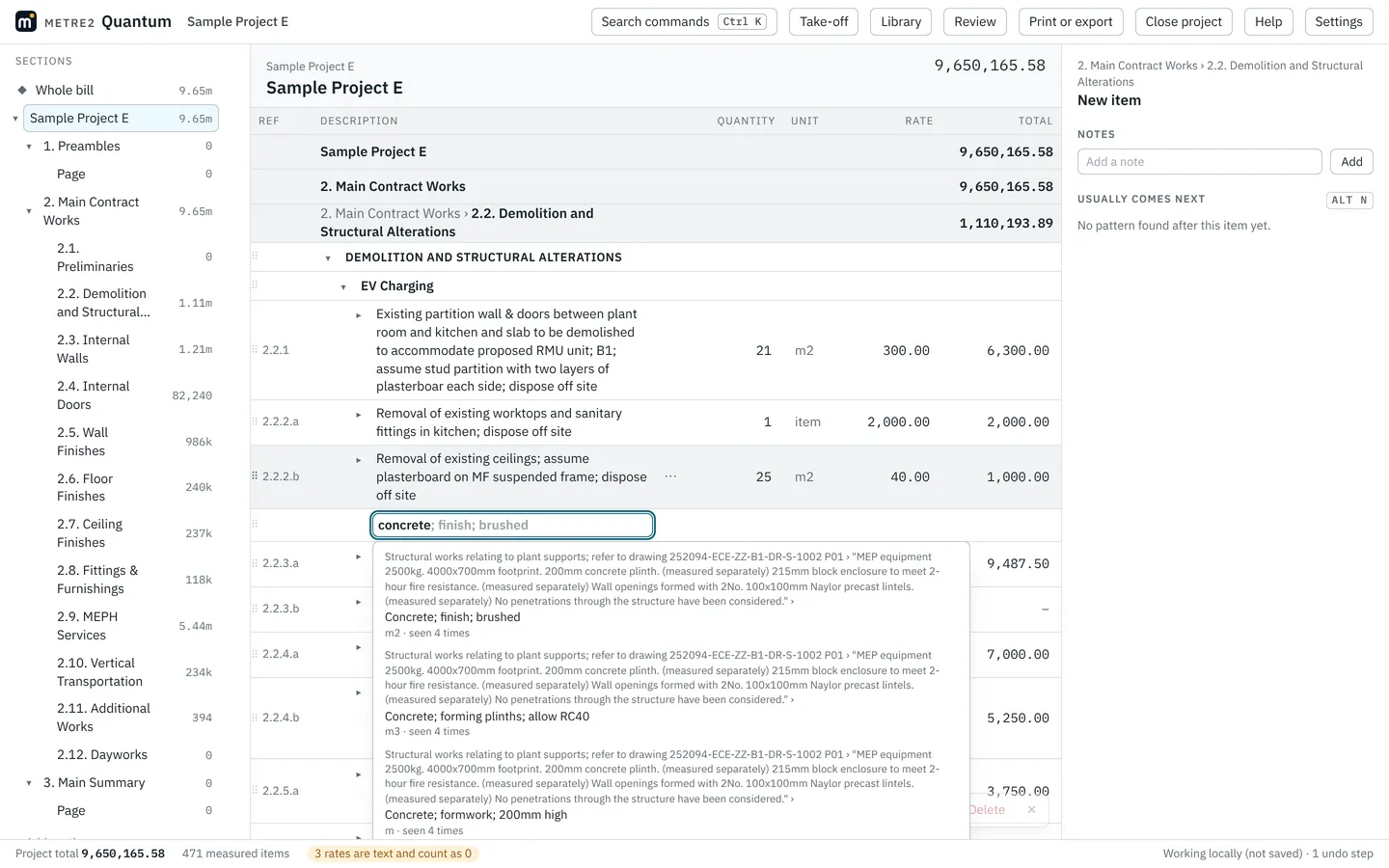
02 · Take-off
Take-off from your PDF drawings
Add the drawings, set the scale, and measure lengths, areas and counts. Quantum snaps to the drawing's own lines, counts every copy of a symbol at once, and links each measurement to its item, so quantities follow the drawing. A new revision keeps your measurements.
Pictured: the sample drawing, an open-source farmhouse by Jay Osborne (CC BY-SA 3.0).
Take-off, in the guide →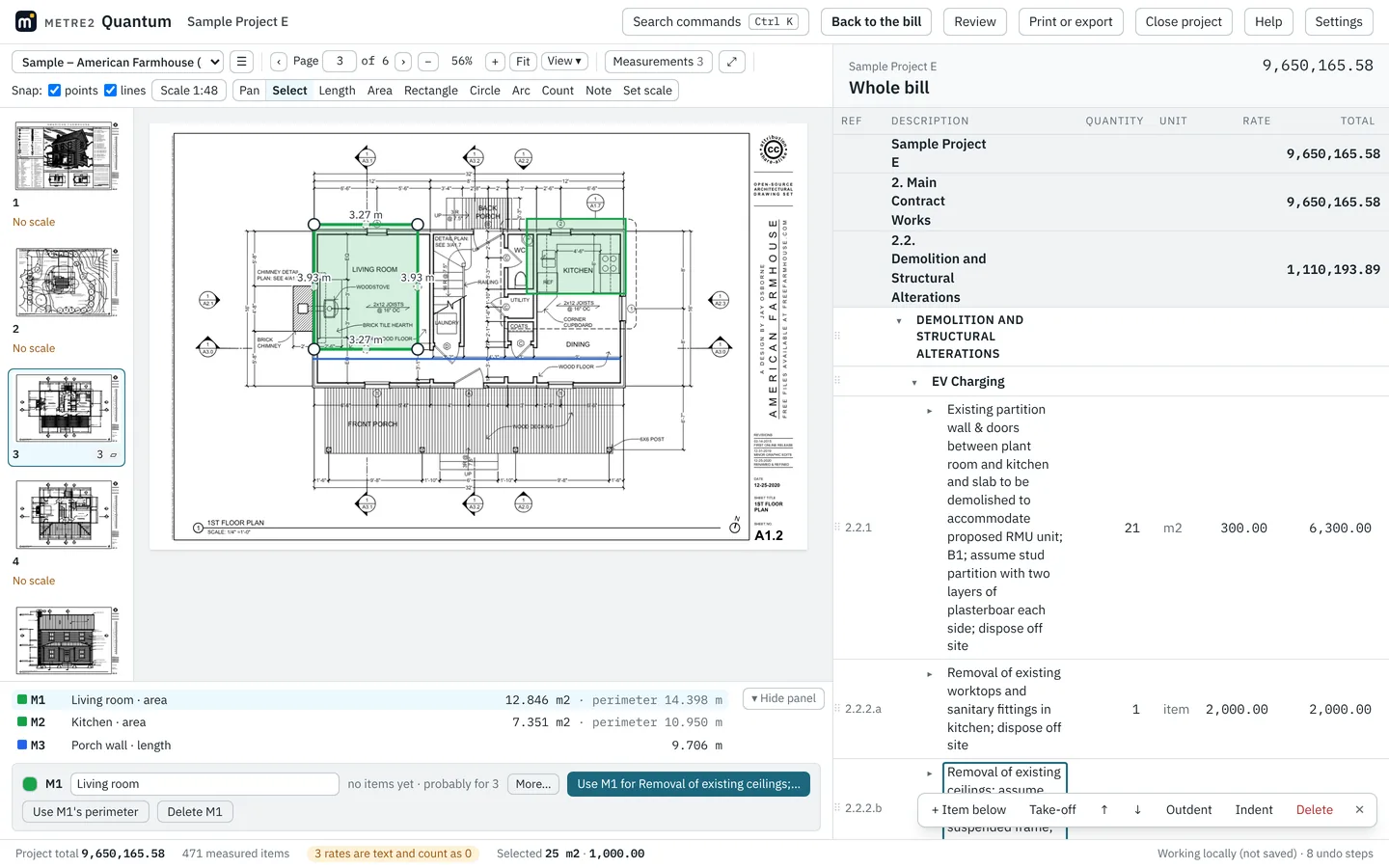
03 · Teams
Built for working as a team
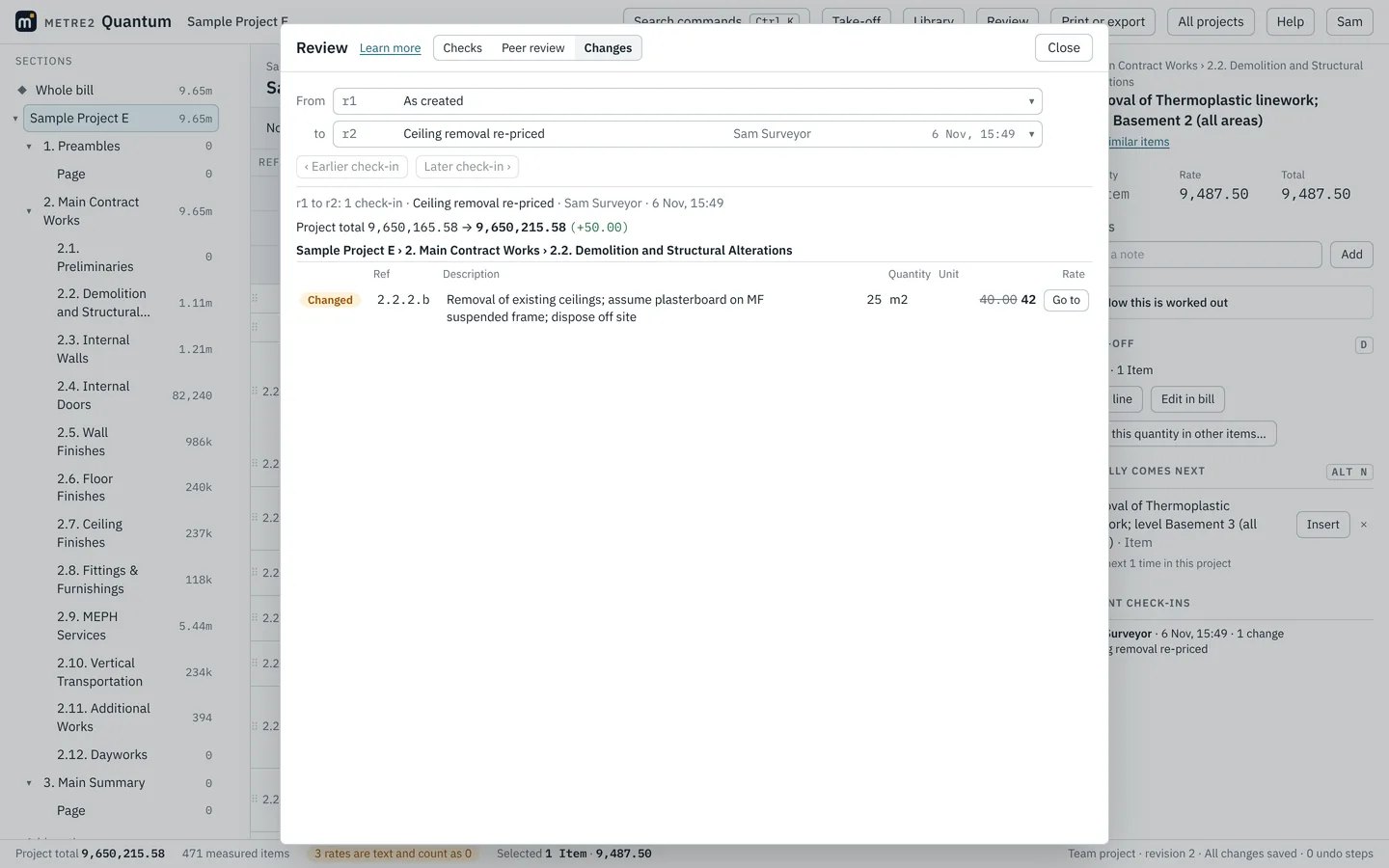
- Check out, change, check in. Take the sections you're working on; colleagues work on the rest. Two people never change the same thing at once.
- Every version kept. See exactly what changed, laid out like the bill, and restore any earlier version.
- Review before issue. A colleague comments, suggests or edits; you keep or put back each change.
- Share with clients. Send a report behind a one-time code and see when it is opened.
04 · Imports
Bring your work with you
Opens Metre2 projects (.sk and .m2x), CITE bills, Excel, CSV and printed PDF bills, and works out every Metre2 figure again to check it. Add a whole folder of past projects and the suggestions learn from them. Open files straight from OneDrive or SharePoint, and save back to them.
Moving from Metre2 →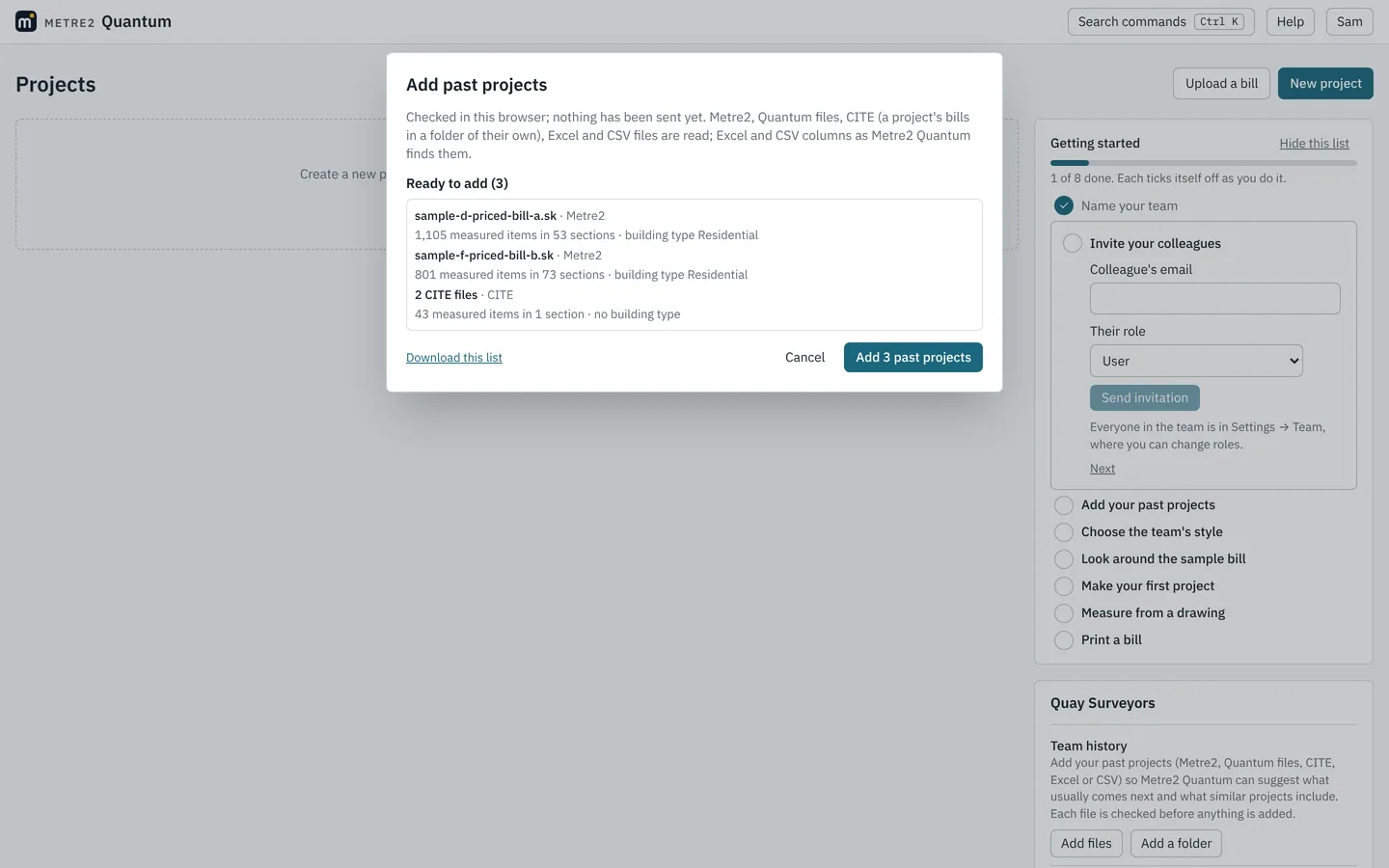
05 · Printing
Print and issue
Printed bills with collections and a summary, set out the way your firm likes and with your logo. Excel that matches the PDF page for page, and CITE for anyone who needs it.
Printing and exporting →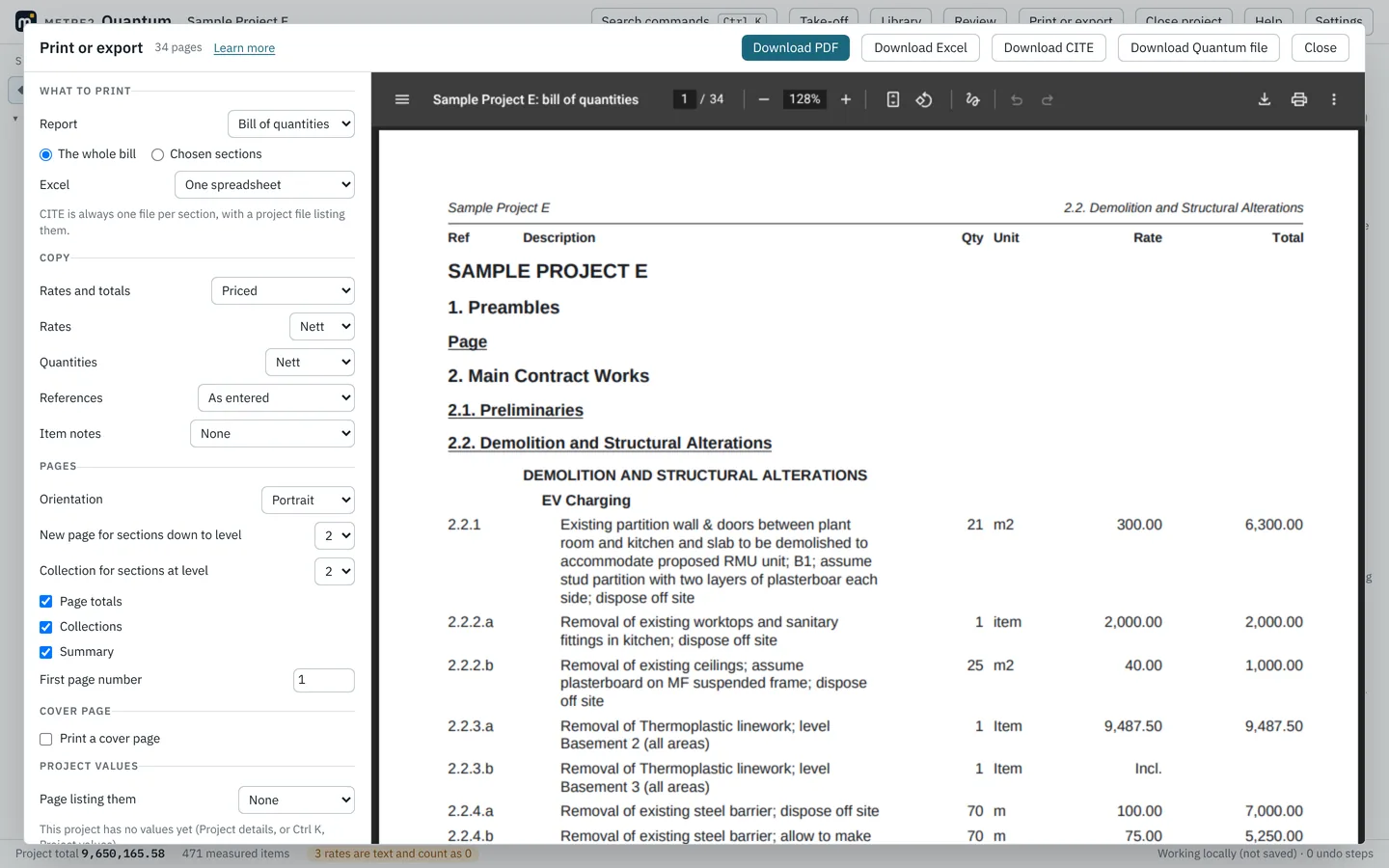
06 · Your data
How your data is kept
Kept in the UK
In Microsoft Azure's UK South region (London), and backed up automatically.
Only your team
Each team sees only its own projects. Passwords are never stored, only a secure hash.
No tracking
No analytics, advertising or tracking, and nothing loaded from other websites.
Yours to take
Download every project when you like, and delete your account or team whenever you wish.